
Anúncios
FM and AM radio on your cell phone brings the classic broadcast experience directly to your pocket, combining nostalgia with modern mobile technology.


Remember when radios were bulky devices sitting on kitchen counters or car dashboards? Those days have evolved dramatically. Today, your smartphone can serve as a powerful radio receiver, giving you access to thousands of stations worldwide without requiring any additional hardware beyond a simple pair of headphones.
The convergence of traditional broadcasting with mobile technology has opened new possibilities for listeners everywhere. Whether you’re commuting, exercising, or relaxing at home, radio apps transform your device into a versatile entertainment hub that connects you to local news, global music trends, talk shows, and emergency broadcasts—all at your fingertips.
📻 Understanding FM and AM Radio Technology on Mobile Devices
Most modern smartphones actually contain built-in FM radio chips. These hardware components can receive traditional FM broadcasts without using your data plan. However, many manufacturers disable this functionality, encouraging users to rely on streaming services instead.
FM radio operates on frequencies between 88 and 108 MHz, delivering superior sound quality compared to AM radio. The frequency modulation technology produces clearer audio with less interference, making it ideal for music programming. When you tune into FM radio on your phone, you’re receiving the same signal as traditional radios.
AM radio uses amplitude modulation and broadcasts on frequencies between 540 and 1700 kHz. While the audio quality isn’t as pristine as FM, AM signals travel much farther, especially at night. This makes AM radio exceptional for talk shows, news broadcasts, and emergency communications that need to reach wide geographic areas.
🔧 How Radio Chips Work in Smartphones
The radio receiver chip in your phone functions similarly to standalone radio devices. It captures electromagnetic waves broadcast by radio towers and converts them into audio signals. The key difference is integration—your phone’s radio chip shares resources with other components like the processor and speakers.
Your headphone cable serves as the antenna for FM reception. This is why most FM radio apps require you to plug in headphones even if you plan to listen through the phone’s speakers. The metal wiring in the headphone cord picks up radio frequencies more effectively than the phone’s internal components alone.
🌐 Internet Radio vs. Traditional Broadcast Radio
There’s an important distinction between FM/AM radio apps that use your phone’s built-in receiver and internet radio applications that stream content over data connections. Each approach offers unique advantages depending on your situation and preferences.
Traditional broadcast radio apps access local stations through your phone’s FM chip. They don’t consume data, work during network outages, and provide real-time local content. These apps are perfect for staying connected to community news, weather updates, and regional programming.
Internet radio apps like TuneIn, iHeartRadio, and Radio Garden stream content from servers worldwide. They offer virtually unlimited station choices from every corner of the globe, but they require stable internet connections and consume mobile data unless you’re on Wi-Fi.
⚡ Data Usage Considerations
Streaming radio typically consumes between 40-100 MB per hour, depending on audio quality settings. For daily commuters, this can add up quickly. Traditional FM/AM radio through your phone’s built-in chip uses zero data, making it ideal for users with limited data plans or those in areas with poor cellular coverage.
Many users find that combining both approaches works best. Use your phone’s FM receiver for local stations during commutes and outdoor activities where data might be limited. Switch to internet radio when you want access to specific international stations or niche programming not available on local frequencies.

📱 Best Apps for FM and AM Radio on Smartphones
Several excellent applications enable radio listening on mobile devices. Some leverage your phone’s built-in FM chip, while others stream content from internet sources. Choosing the right app depends on your device capabilities and listening preferences.
NextRadio was one of the pioneering apps that activated smartphone FM chips, though it has since been discontinued. However, many alternatives have emerged to fill this gap. Simple Radio offers both FM chip access and internet streaming options, creating a versatile listening experience.
TuneIn Radio provides access to over 100,000 stations worldwide through internet streaming. While it doesn’t use your phone’s FM chip, the app’s extensive catalog and user-friendly interface make it a popular choice for diverse listening preferences.
🎵 Features to Look for in Radio Apps
- Offline capabilities: Apps that use FM chips work without internet connections
- Sleep timers: Automatically stop playback after a set duration
- Alarm functionality: Wake up to your favorite radio station
- Recording options: Save programs for later listening
- Station favorites: Quick access to frequently played channels
- Program guides: See what’s currently playing and upcoming shows
- Audio quality settings: Adjust streaming quality to manage data usage
🔍 Activating Your Phone’s Hidden FM Radio Feature
Many smartphones ship with disabled FM radio functionality, even though the hardware exists. Manufacturers often partner with streaming services or want to encourage data usage, leading them to lock this feature.
Android devices are more likely to support FM radio activation than iPhones. Check your phone’s specifications to see if it includes an FM radio chip. Devices from manufacturers like LG, Motorola, and Samsung often include this capability, particularly in models sold outside the United States.
To activate FM radio on compatible Android devices, download an FM radio app from the Google Play Store. Install the application, plug in your headphones, and launch the app. It should automatically detect available stations in your area and allow you to scan for channels.
🍎 iPhone FM Radio Limitations
Apple iPhones do not include FM radio chips in their hardware design. This means iPhone users cannot access traditional FM broadcasts through built-in receivers. However, you can still enjoy radio content through internet-based streaming apps.
The absence of FM chips in iPhones reflects Apple’s design philosophy of minimizing hardware components and promoting digital streaming services. While this limits offline radio options, iPhone users have access to countless internet radio applications offering global coverage.
🌟 Benefits of Mobile Radio Listening
Radio on your smartphone offers numerous advantages over traditional radio receivers. The convenience of carrying one device that handles communication, entertainment, and information needs cannot be overstated.
Emergency preparedness represents one of the most compelling reasons to use your phone’s FM radio capability. During natural disasters or power outages, FM radio continues broadcasting when internet services fail. Having radio access on your phone ensures you can receive emergency alerts and important updates.
Local connection keeps you informed about community events, traffic conditions, and regional news. Local radio stations provide hyper-relevant content that streaming services and podcasts often miss. Supporting local broadcasters strengthens community media infrastructure.
💡 Discovering New Music and Content
Radio introduces listeners to music and shows they wouldn’t normally discover through algorithm-driven streaming platforms. The curated human element of radio programming exposes you to unexpected genres, emerging artists, and diverse perspectives.
Live programming creates shared cultural moments. When major events occur, tuning into radio connects you with real-time commentary and community reactions. This immediacy and spontaneity cannot be replicated by on-demand content.
🛠️ Troubleshooting Common Radio App Issues
Static and poor reception often plague mobile FM radio users. Since your headphone cable serves as the antenna, try adjusting the cable position or using different headphones. Longer cables sometimes provide better reception than short earbuds.
Location significantly impacts signal quality. Moving near windows or going outside typically improves FM reception. Buildings with metal construction can block signals, so experiment with different positions if you’re experiencing interference.
App crashes or failure to launch usually indicate compatibility issues. Ensure your radio app is updated to the latest version. If problems persist, check online forums to see if your specific phone model has known FM radio limitations.
📶 Maximizing Signal Strength
Keep your phone’s software updated, as system updates sometimes include improvements to radio functionality. Disable battery-saving modes when using FM radio, as these can limit the power available to the radio chip.
For internet radio streaming, connection drops often result from network instability. Lower the audio quality settings in your app to reduce buffering. Downloading favorite shows when connected to Wi-Fi allows offline playback without signal concerns.
🌍 Global Radio Access Through Mobile Apps
Internet radio apps transform your smartphone into a global receiver, connecting you with stations from Tokyo to Toronto. This international access enriches your listening experience with diverse music styles, languages, and cultural perspectives.
Radio Garden offers a unique interface where you spin a virtual globe to discover stations worldwide. The visual approach makes exploring international radio engaging and intuitive. You can experience morning shows from Australia while having breakfast in America.
Language learning benefits tremendously from international radio access. Immersing yourself in foreign language broadcasts improves comprehension and familiarizes you with natural speech patterns. Many expatriates use radio apps to maintain connections with their home countries.
⏰ Using Radio Apps for Daily Routines
Integrating radio into your morning routine creates a consistent, energizing start to your day. Many radio apps include alarm functions that wake you with your preferred station instead of jarring beep tones.
Workout sessions become more dynamic with live radio. Unlike static playlists, radio provides variety and surprise, keeping your exercise routine fresh. Sports radio can be particularly motivating during cardio sessions.
Sleep timers help you drift off to calming late-night programming without draining your battery. Set your radio app to play for 30 or 60 minutes, and it will automatically shut off after you’ve fallen asleep.
📊 Comparing Radio Listening Options
| Feature | FM Radio Chip | Internet Streaming |
|---|---|---|
| Data Usage | Zero | 40-100 MB/hour |
| Station Selection | Local only | Global access |
| Sound Quality | Good (FM), Fair (AM) | Excellent (high bitrate) |
| Requires Internet | No | Yes |
| Emergency Reliability | Excellent | Poor (depends on network) |
| Battery Consumption | Low | Moderate to High |
🔐 Privacy and Radio Apps
Traditional FM radio through your phone’s built-in chip offers complete privacy. Since you’re receiving broadcast signals without sending any data back, stations cannot track your listening habits or collect personal information.
Internet radio apps typically collect usage data including listening history, location, and device information. Review privacy policies before installing radio apps to understand what data they gather and how they use it.
Many streaming radio apps are supported by advertising, which involves tracking and profiling. If privacy concerns you, look for apps that offer ad-free premium subscriptions or prioritize apps that access your phone’s FM chip rather than streaming content.
🎯 The Future of Mobile Radio Technology
5G networks are expanding possibilities for radio streaming with faster speeds and lower latency. High-quality audio streaming will become more accessible, even in crowded areas where network congestion previously caused problems.
Hybrid radio systems combine traditional broadcasting with internet connectivity. These technologies allow listeners to pause live radio, access additional content related to current programs, and seamlessly switch between broadcast and streaming as signal conditions change.
Smart integration with vehicle systems and home automation platforms is making radio more contextual. Your phone might automatically tune to traffic reports during your commute or switch to news when significant events occur.
💭 Why Radio Remains Relevant in the Streaming Era
Despite the proliferation of on-demand streaming services, radio maintains distinct advantages that keep millions of listeners tuning in daily. The live, curated nature of radio creates connections that algorithms cannot replicate.
Radio personalities build relationships with audiences over time. Your favorite morning show hosts become familiar companions during commutes. This human element creates loyalty and community that streaming playlists lack.
Zero cost access makes radio universally available. While streaming services require subscriptions or tolerate ads, traditional radio remains free. For budget-conscious listeners, FM and AM radio on smartphones provides quality entertainment without additional expenses.
Local advertising and community announcements keep you connected to businesses and events in your area. Radio stations serve as cultural hubs that reflect and shape local identity in ways that global streaming platforms cannot.
🎧 Making the Most of Your Mobile Radio Experience
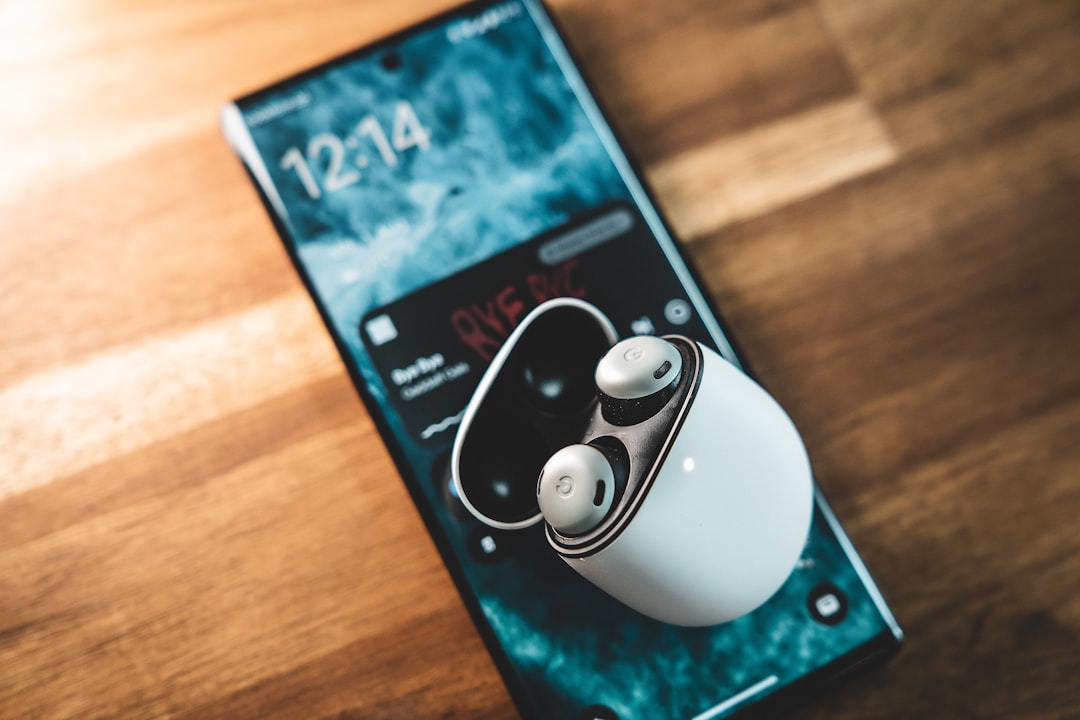
Invest in quality headphones that serve double duty as antennas for FM reception. Longer cables generally improve signal quality, so avoid ultra-compact wireless earbuds when listening to traditional FM broadcasts.
Explore different times of day to discover varied programming. Radio stations change content throughout the day, from news-heavy mornings to music-focused afternoons and specialty shows in evenings. You might discover new favorite programs by listening at different times.
Participate in radio station communities through social media and call-in opportunities. Many stations encourage listener interaction, creating two-way communication that deepens your connection to the programming.
Save your favorite stations and organize them by type—news, music genres, sports, talk shows. Most radio apps allow custom categorization, making it easy to find the perfect station for any mood or activity.
Radio on your cell phone represents the beautiful convergence of vintage broadcasting technology and modern mobile convenience. Whether you’re accessing local FM stations through your phone’s built-in chip or exploring internet radio from around the world, your smartphone transforms into a powerful communication tool that entertains, informs, and connects you to communities near and far. The simplicity of radio combined with smartphone portability creates an unbeatable combination for anyone seeking reliable, diverse, and engaging audio content.
